Inspired by https://tante.cc/2026/01/05/exiting-the-billionaire-castle/ I decided to write a post detailing my own attempts to stop using Big Tech tools.
I also share similar caveats from that post: I am techie, and I can set things up and run them myself, and I have sufficient time/money enough to do this. Those two things alone would rule out these options for most people and I’m deeply aware of that. I’d like to see more community-managed infrastructure to meet that need. This post is about what I have done though.
Previously…
I used to use a bunch of Google tools – Gmail for email (with a custom domain), Google Calendar, Google Drive (not heavily though). A long time ago I used to use Apple Music and Dropbox.
For chatting I use a combination of Signal, WhatsApp, Telegram, Matrix, and email. For code I’ve used GitHub previously. For hosting I used to have a server where I worked, and then Hetzner. My blog I think has always been self-hosted.
I had a brief social media life on Twitter.
So, I haven’t been a super heavy user of cloud services, and I’ve run some of my own infrastructure for quite a while.
Current
I currently run a small VPS on Hetzner where I run as much stuff as I can. I have a simple ansible setup to harden the server config, and then one playbook per service. I do use some cloud services, preferably small orgs in Europe that use encryption.
This was the big one to leave, as I like to keep a lot of historical email, and use many email address aliases with a wildcard. I briefly tried mailbox.org but settled on Proton Mail in the end. I’m quite happy with that, so long as I use their tools for reading (I only use webmail at the moment, I used to use the mobile app but since realised I don’t like doing email on my phone). There is Proton Mail bridge that would let me use SMTP/IMAP tools locally, and I briefly had a setup using notmuch and various other terminal-based tools, but found in reality I was just opening webmail…
I pay for Proton Mail now, and also get the VPN with it, which I enjoy. I occasionally use Proton Drive, but don’t use it for calendar or contacts.
I didn’t consider self-hosting my email infrastructure, as it’s hard to get good reputation for the server, and as it’s quite critical, I don’t want to risk email being down and being responsible to fix it myself.
Aside: we do host the email infrastructure for Karrot (a project I’m involved in) using postal – and have managed to build up enough reputation over the years such that we could offer to share the infrastructure with another values-aligned project that was suffering from deliverability issues with one of the big transactional email platforms.
Calendar / Contacts / Tasks
I self-host radicale to provide calendars, contacts, and tasks. It doesn’t have a web UI for any of that but supports CalDAV and CardDAV protocols. It’s been rock solid, and was simple to run.
On my android phone I use it with DAVx⁵ (to sync) and Etar (calendar), and recently have been trying out tasks with cfait, and previously with tasks.org.
On my laptop I use a combination of khal (terminal calendar tool) and vdirsyncer (syncing with CalDAV server). I find khal quite usable, but I notice I prefer looking at Etar on my phone to get an overview of the next month (I think showing events within a square for that day makes more sense to my brain).
Music
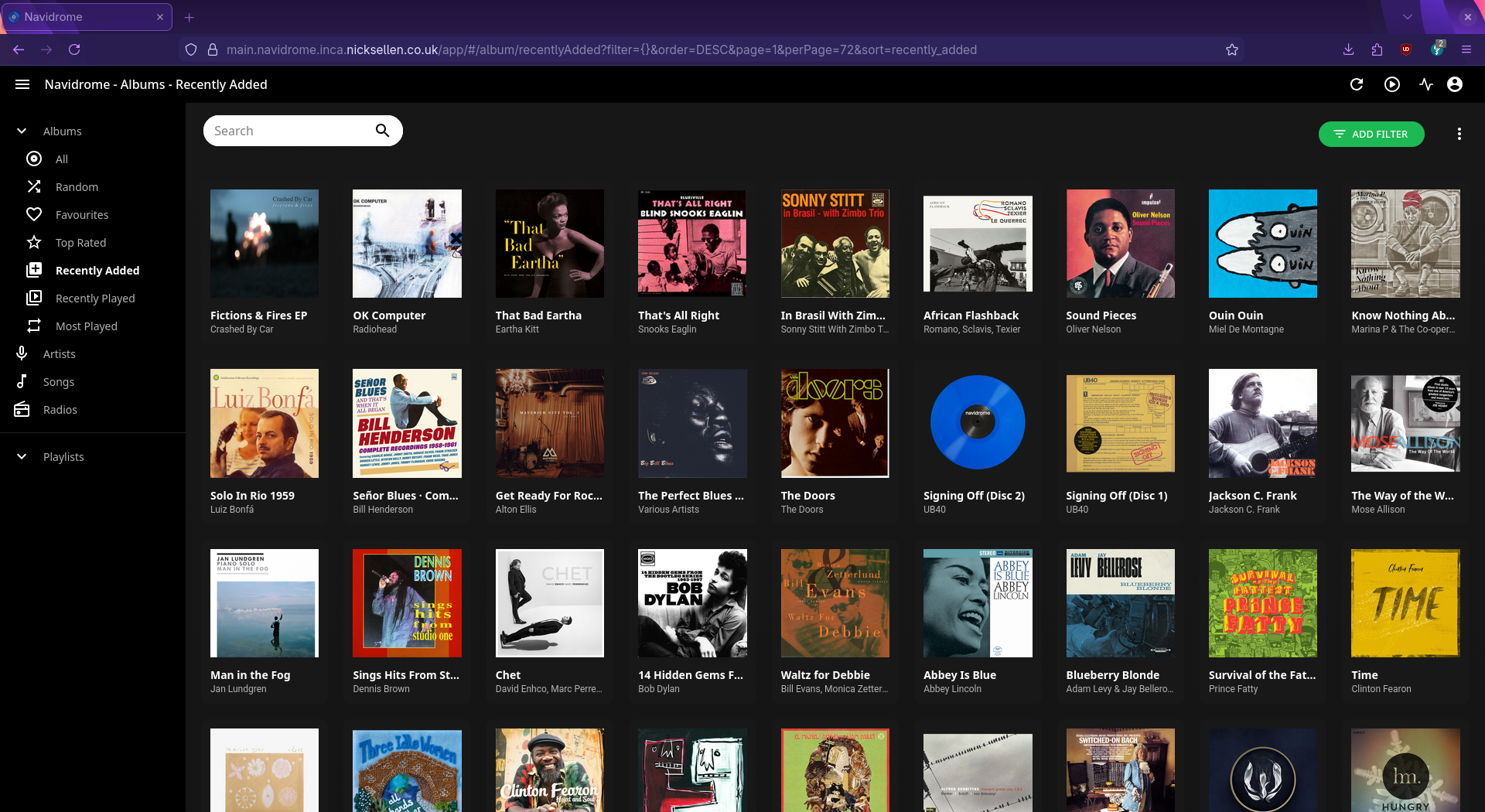
My music collection is very important to me, and I’ve kept a collection of music files on hard drives for a long time and used them locally. To improve the experience I run a music server on my VPS. Initially I used Airsonic (and then Airsonic-Advanced), but development on both seems to have halted now. They worked great, although a slightly dated Web UI, but I mostly used them with dsub (which also hasn’t had updated for a while, but it’s my favourite subsonic client and still works great). I switched the server over to navidrome – and actually run two instances of it for two different music libraries I have (they’ve since implemented multi library support), it also works with dsub.
I discover new music using internet radio stations: FIP (Jazz and Reggae), Ambient Sleeping Pill, and a.m. ambient mostly. Then if I like a track, I’ll try and download the album from bandcamp, or qobuz, or last resort amazon. If the artist is rich or dead I might find it using other means 😉.
I import the music using beets to tidy up the tags, then have a script to upload it to my server. I store the files on a Hetzner Storage Box that is mounted to my VPS – it occasionally unmounts, then I need to login to the VPS and restart the mount. I couldn’t seem to get it to auto remount, but it happens infrequently enough I’m not worried. At the time of writing you get 1TB storage for 3.20EUR/month.
I also keep the music files on a server (a Minix Z100-0dB) in my home, and use Lyrion Music Server to stream it to a Raspberry Pi Pico 2 W running piCorePlayer (which in turn runs squeezelite), I use Squeezer to control it from my phone. I used Music Assistant for a while, but found it a bit sluggish compared to Lyrion, and the android app(s) weren’t very mature (the Music Assistant ecosystem seems to be developing rapidly, so that might change in the future).
For portable use I have a FiiO M6 running dsub, with a big enough microSD card to cache my entire library, although often just use my phone now. The FiiO runs an increasingly aging version of Android, and the blocker is the certificate store doesn’t have some of the newer ones I need to fetch content – and the access to manually install new certificates doesn’t seem to be available.
Notes
I’ve tried a few note tools, I used Simplenote for quite a while, then for some reason I can’t remember now I switched to Standard Notes. Then for another unknown reason I switched to Joplin where I’ve stayed for some time. One aspect I really like is the sync backend can be an s3-compatible storage, and I can use the insanely cheap Backblaze B2 – which I also use for various other things.
I’m mostly happy with Joplin, except that the Android app doesn’t open very quickly on my slightly crappy phone, so I only open it on the phone if I’m intending to write slightly longer form content. On the desktop it’s also a bit slow to start, but tends to be open all the time so not a problem.
For short form notes, I have long used the “self chat” in Telegram, which opens lightning quick. I have tried to move away from Telegram, and for now settled on a free personal hosted Zulip account (which you can self-host too – although it’s a bit heavy tool to self-host just for me, hmm).
I’ve looked at various knowledge-based type tools, but find markdown docs + a chat stream works well for my note taking needs.
Code
I was horrified when Microsoft bought GitHub, and found a new home on Codeberg – so far so good. Feels snappier and lighter than Github or Gitlab to me, and has a lot of nice values. I didn’t join the association yet, but maybe will in the future. The various tensions and subsequent forks in of gogs/gitea/forgejo seems to be a bit more settled now, and Forgejo feels a good base that it builds on. I would like it if it supported gists like in Github though.
Social media
I took up mastodon/fediverse in 2018 after coming across social.coop – and as these things go, quickly ended up being one of the tech maintainers of it. Sometime later in a wave of motivation I setup a local instance for my city: bath.social – and now some years later I use that as my main instance, although the hoped-for wider adoption is still waiting to get going…!
I went off social media a lot over the years, but still find quite a lot of interesting/useful things through the fediverse.
I reluctantly keep a Facebook account (although abandoned my historical original one, to leave that history disconnected from me now) – there are a few groups I find useful on there, canal boat community, lithium battery group, and boat diesel engines.
Files / Photos / Backups
I don’t really have a need for cloud file storage, I use only one computer, and happy to use LibreOffice for the rare occasion I need to write a document. I do want to keep access to those files though, so I use restic with Backblaze B2 to keep those safe, and as mentioned before, it’s ridiculously cheap, so I don’t really worry about how much I put in there. Make sure to select the EU region when joining…
My photo library is also very important to me, and like with documents, I use a mostly local based workflow. I have a custom import script that copies them off my camera (an actual physical camera!) into a date-based directory on my laptop (e.g. ~/Pictures/2025/2025-03-12/DSC0001.JPG) and then imports them in-place into darktable for a bit of tweaking, rating, and perhaps creating a lower resolution version for sharing. From there I use rclone to send them to B2 (I would probably use restic if I was setting it up again).
The downside of this photo approach is that I can’t easily view nice selections from the web or my phone, or share a gallery with people (I do occasionally use Google Photos still for that purpose). I’ve looked at immich – but until they support S3-compataible storage option, or similar, the cost of the storage volume on Hetzner would be more than I’m willing to pay. I did also look at Ente Photos and if I recall correctly it does support S3-compatible storage, but self-hosting seems a bit heavy? Not sure though.
Browser / Internet Search / DNS
I use Firefox on my laptop and on my Android phone, which I’m very happy with. I have uBlock Origin and uMatrix (archived, but still works…) and use Startpage (uses Google’s index) or DuckDuckGo for searching. I recently installed LibreWolf now Firefox seems to be going down the AI route, but haven’t got into a habit of using it yet…
For further blocking at the DNS level I use AdGuard Home running on my VPS and use the more secure DNS-over-HTTPS or DNS-over-TLS with custom client id (also makes URLs non-guessable). Plain DNS is disabled. One additional benefit is I can block any websites I get addicted to reading (I could just log in and unblock them, but usually the effort required to do that is enough to prevent me).
It took a bit of fiddling to get most things using my DNS server, at the OS level for linux and Android, plus application level settings for Firefox and Chrome. I also run dnscrypt-proxy in my home for tools that still want to use plain old normal DNS.
It’s very rare that an ad slips through the net now.
I might look into UK DNS Privacy Project (found via Alternatives in UK) – as at some point I need to query an actual external DNS server.
Podcasts / News
I have oPodSync running that works with things that can talk to GPodder – this keeps a list of which podcasts I’m subscribed to, and keeps track of what I listen to. I use it with AntennaPod on the phone. Unfortunately the podcast addon for Lyrion doesn’t support it (the developer seemed a bit confused about what it actually offered).
For news I have FreshRSS running with my preferred news sources and Capy Reader on my phone to read from. This is fairly new setup to me, but so far works nicely, and keeps me a bit away from mainstream news. I’d like to find some more news sources though – the ones I have are a bit depressing.
Phone
I have a cheap chinese phone I’m not super enthusiastic about, but I have managed to avoid connecting it to a Google account by using F-Droid and Aurora Store. It means I can’t get paid-for apps from the Play Store though, but that’s mostly OK.
Some of the apps I run include Organic Maps, Pachli, Capy Reader, Antenna Pod, Med Timer, cfait, NewPipe.
When it’s time for a phone again I’ll look into some of these options: https://tuta.com/blog/degoogled-phones, or do my normal thing of getting a 2 year Samsung Galaxy of some kind.
I also run FMD on the phone and the server (self-hosted open source alternative to “find my device” type feature). It tells my server where the phone is periodically. So far the most useful feature has been to get my phone to make a noise when I’ve lost it around the home, but the map of where I’ve been (or rather where my phone has been) is also kind of interesting!
Home Automation
This could be a whole post in itself, so I’ll just mention what’s running, without going into how it all works together.
I run Home Assistant on my mini PC (the Minix Z100-0dB I mentioned earlier). Most things on the the server run in their own VM or docker container using Incus, and when I’m from home I connect remotely to them using WireGuard (via my VPS).
Many home automation tools like to talk to cloud services, but that is not OK to me, so everything runs locally. I also don’t always have internet connection at home, so I need to handle that.
Using Incus, the server is running:
- Home Assistant OS
- traefik for internal proxying to the various services + TLS certs
- caddy for simple custom HTML apps (dashboard + local control app)
- Grafana and InfluxDB for home automation stats
- Zigbee2MQTT for accessing Zigbee devices over MQTT
- Mosquitto MQTT broker
- Lyrion Music Server for music, as mentioned above
Conclusion
Writing all this up it suddenly looks an overwhelming set of tools to keep on top of! But of course I didn’t set it up all in one go. It doesn’t take a lot of my time to keep it running (subjective, I know), and sometimes tinkering around with tools is exactly what I want to be doing.
It would be nice to be able to share some of these services with other people, some of them are set up for that nicely, some less so. However, that other person would need to trust me with their data, and I’m reluctant to take on that responsibility. If you do know me personally and want to have an account on any of these things, do ask though!
Each person running this amount of infrastructure clearly isn’t the future – so there needs to be a way to effectively collectively run the services that people want. I think one of the hardest parts though would be supporting people to set up their client devices to use them, that often needs time face to face with people to explain that you just need to click on some obscure tiny button in the corner of the app to access what they want, or delve deep into the settings.
I also wonder about the energy use of it all. I suspect it is ok, I tend to only run things that are quite lightweight to host (avoiding things that need database or cache services), and prioritize things written in rust, golang, or php (rust/golang a light on resources in general, and php apps usually don’t use any resources until you make a request). If they do need a database ideally they can use sqlite. I would avoid heavier rails or django apps for single person use, they can use quite a lot of memory just by running, often rely on additional services (database, cache, message queues, task runners), and the languages aren’t that efficient.
What are you running? What would like you to run? What stops you running more things?

I’m curious about your switch to Proton Mail, as I have a very similar setup: I use a wildcard catch-all.
My problem is that I’ll send a message to “Company X” from `companyX@mydomain.tld` and then they’ll respond asking for more information so I have to write back from the same address.
To my knowledge, Proton doesn’t allow you an infinite number of sending addresses, so what do you do?
Yes that is a problem that I don’t have an answer to. I did used to have a setup where it could use whatever wildcard address as the reply address, I think that worked with my google setup before.
I have setup a bunch of aliases for some key/regular ones – especially needed for mailman-type mailing lists. For others I either just suck it up, whatever! Or use one of my “main” aliases. Would be nice to have a proper solution from proton though.
Actually maybe their simplelogin service addresses this –> https://simplelogin.io/docs/getting-started/reverse-alias/ – I have used that a bit, but I don’t think it was around when I first set it up. Although not so good if you want to log “pro”, as the aliases/domains look a bit spammy.
I’m very tempted to go for selfhosted music + photos with something like Hetzner VPS and Storage combo. Are you also hosting this site on a VPS or directly on your homeserver?
I’m not sure what you’re referring to with “this site”, the music, or this blog, but I can clarify all:
– this blog -> wordpress on my hetzner VPS
– navidrome -> hetzner VPS with hetzner storage box mounted for storage
– lyrion music server -> on my home server (with a mirrored local copy of the same files navidrome has)
I’d much rather have a local attached volume on the hetzner VPS, many/most music/photo tools really want a local drive (e.g. immich), but hetzner volumes get expensive quickly. mounting the storage box on the VPS works, but as I said in the article, sometimes the mount drops.